Prepare the infrastructure
Prepare infrastructure
-
In this lesson, we will perform the lab in Region US West (Oregon) us-west-2
-
In this section, we will prepare the resources for the lab by instantiating the CloudFormation template.
-
You download CloudFormation template here here
-
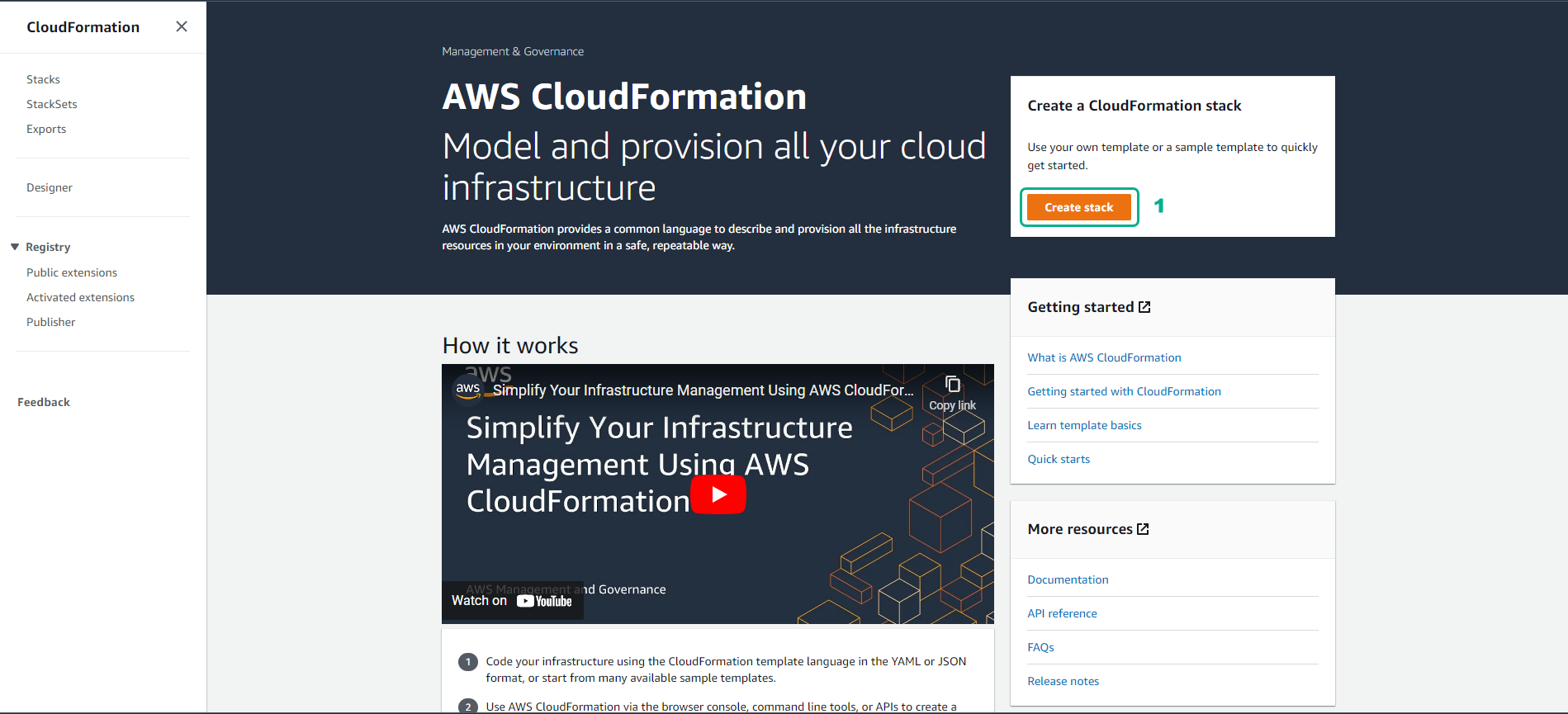
Access the CloudFormation interface
- Select Create stack
-
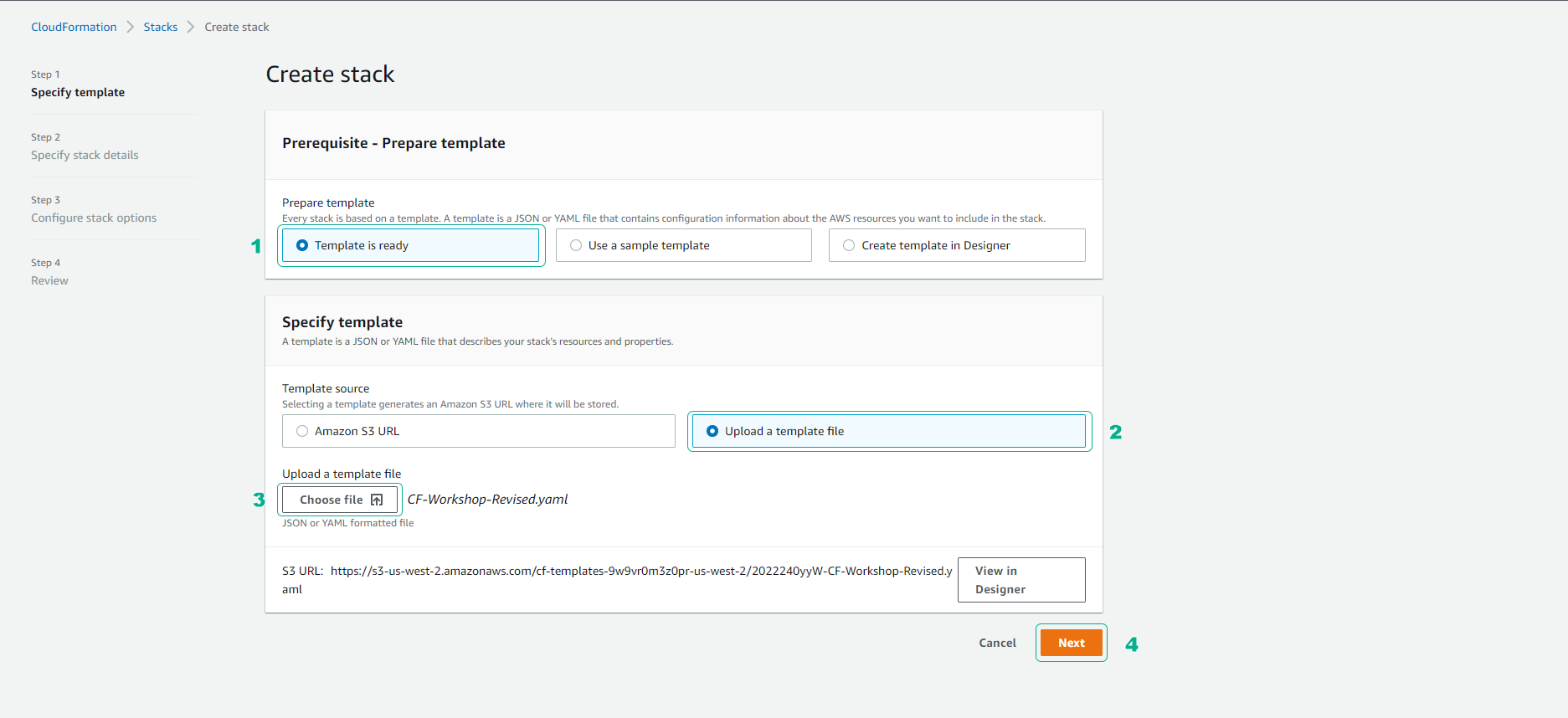
In the Create stack interface
- Select Template is ready
- Select Upload a template file
- Select Next
-
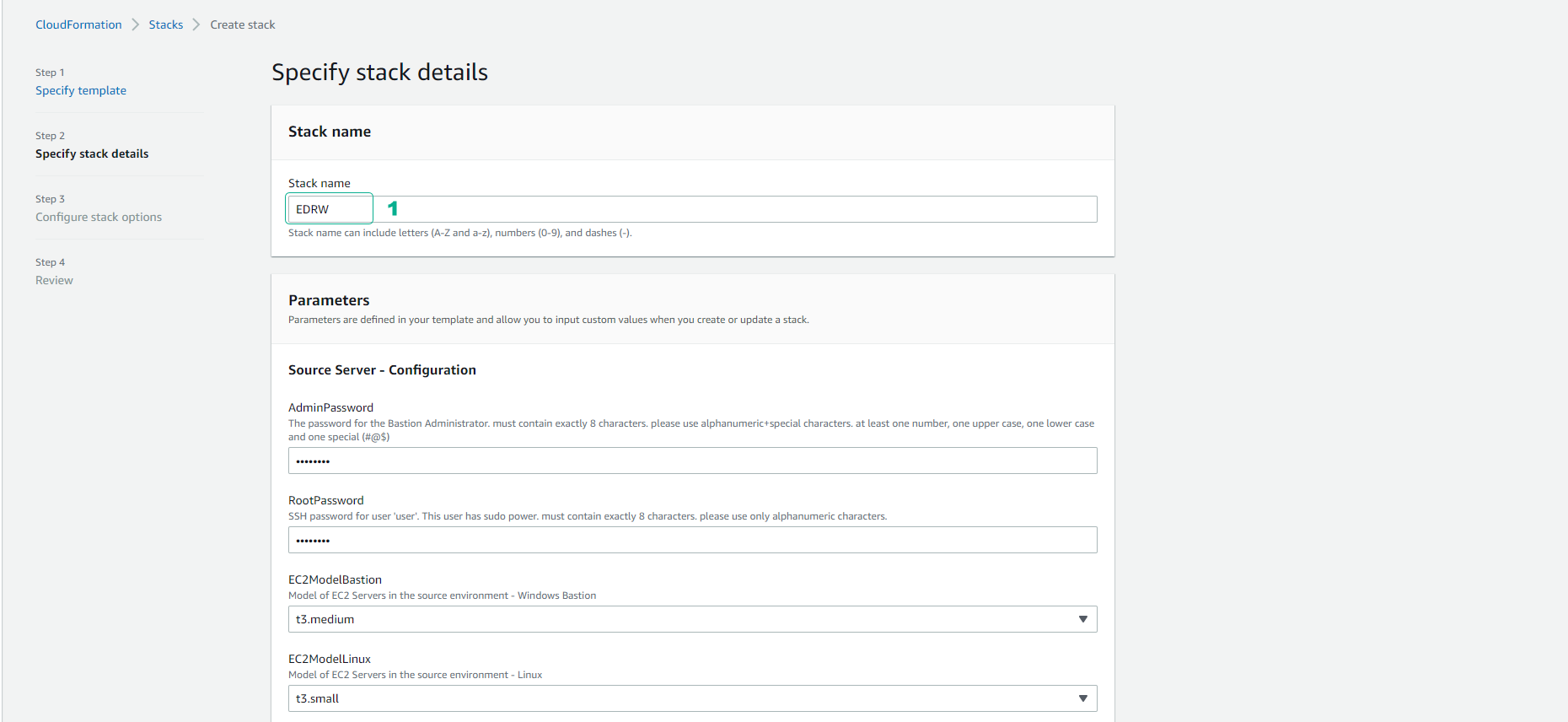
For Stack name
- Enter EDRW
- For other parameters, use the default.
- Select Next
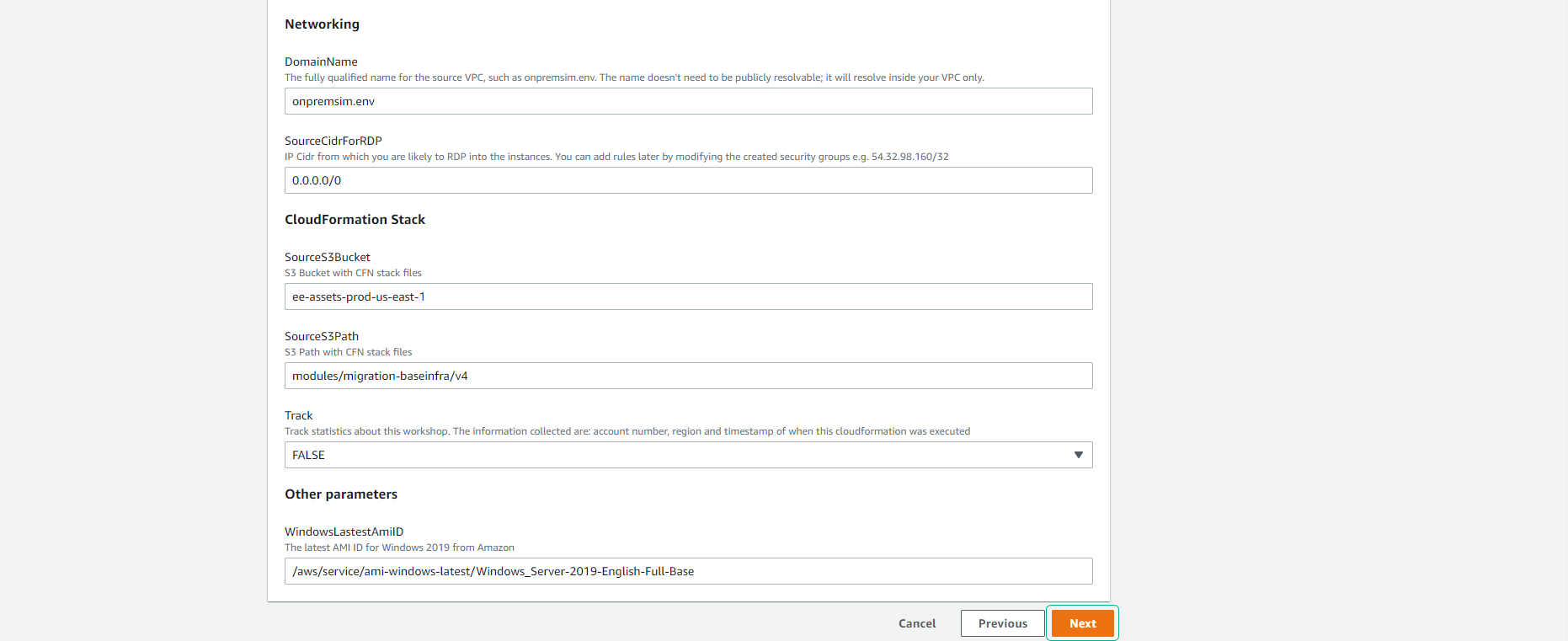
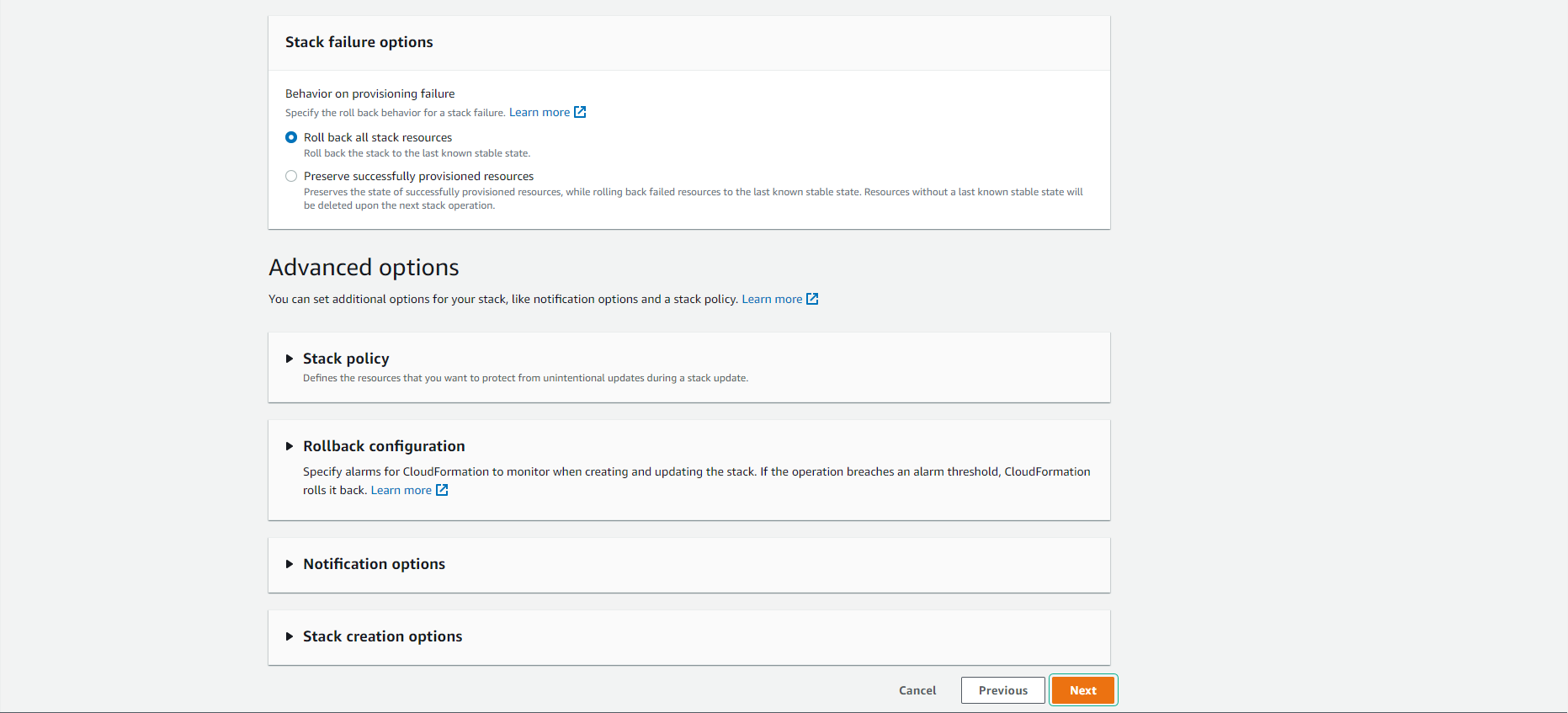
- Select Next
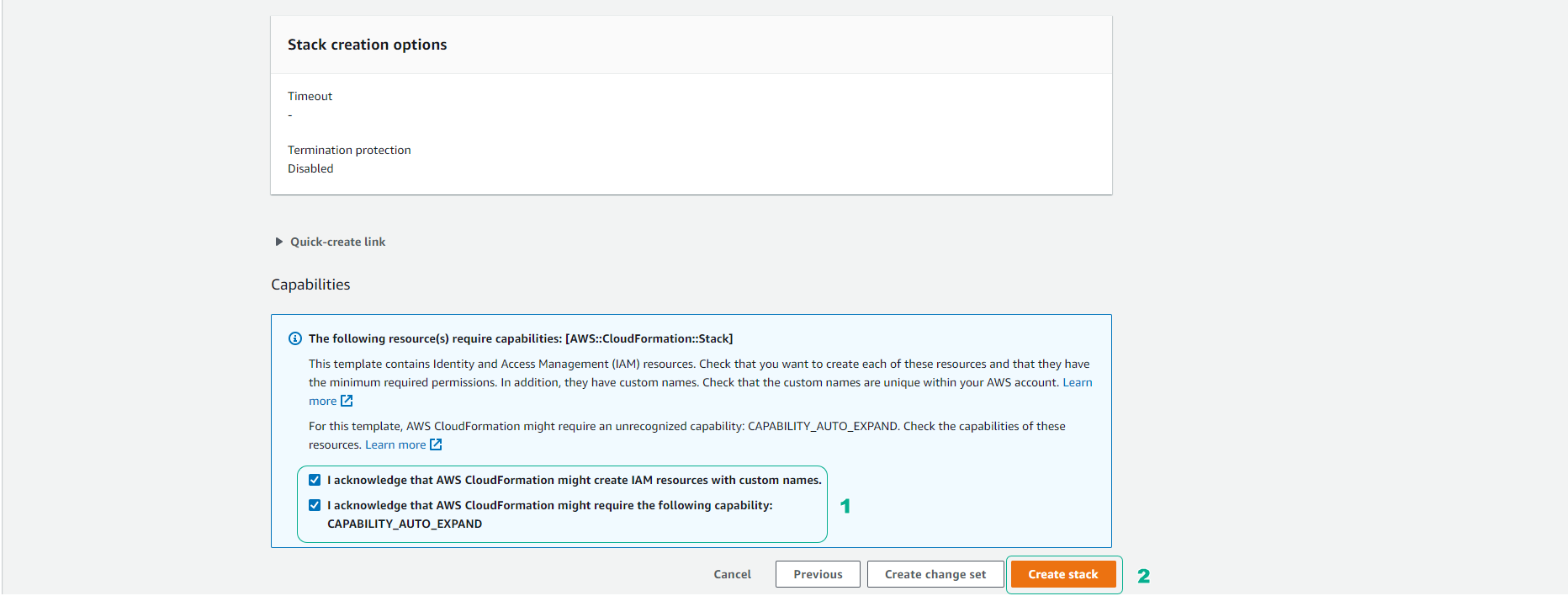
- Make a selection of require capabilities, then select Create stack
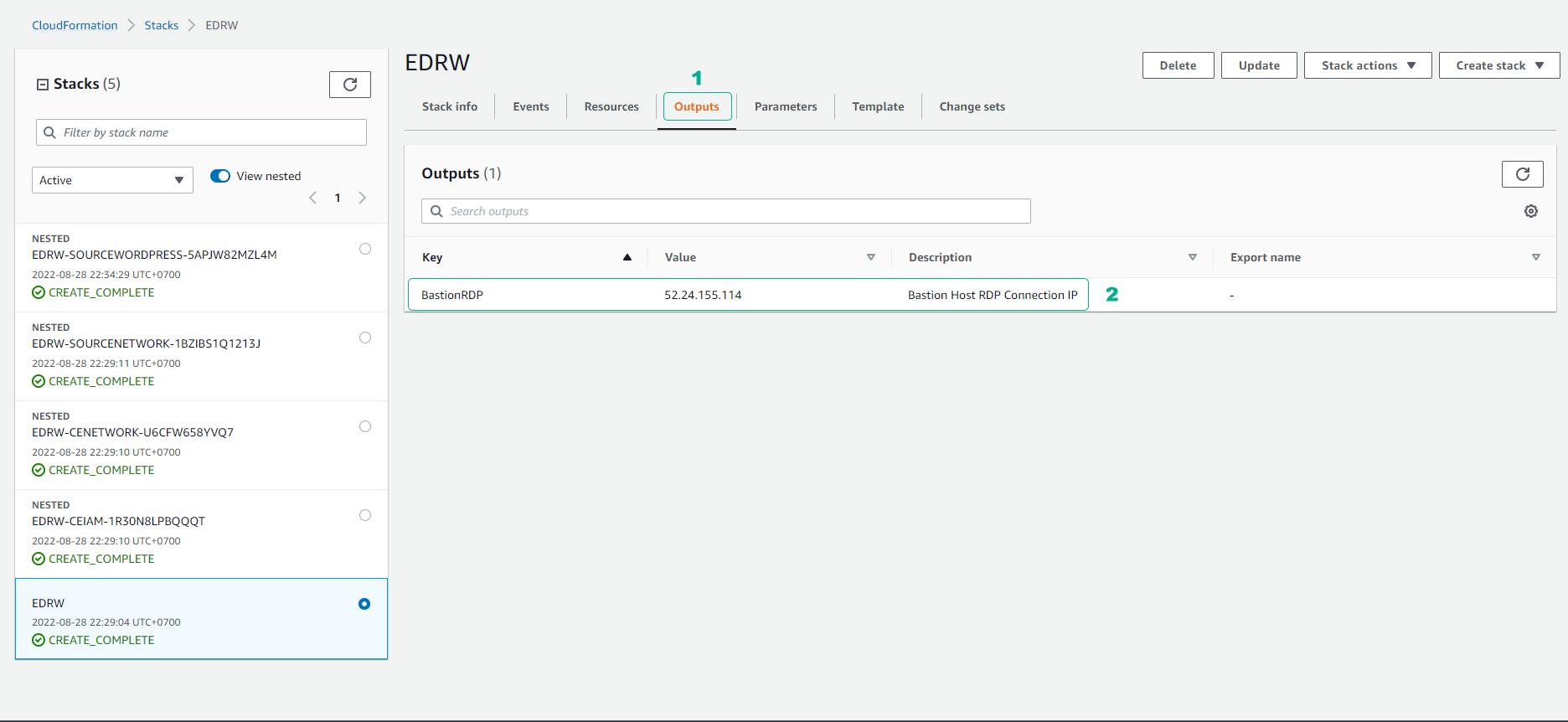
- About 30 minutes later, we will observe the interface and successfully create five stacks.
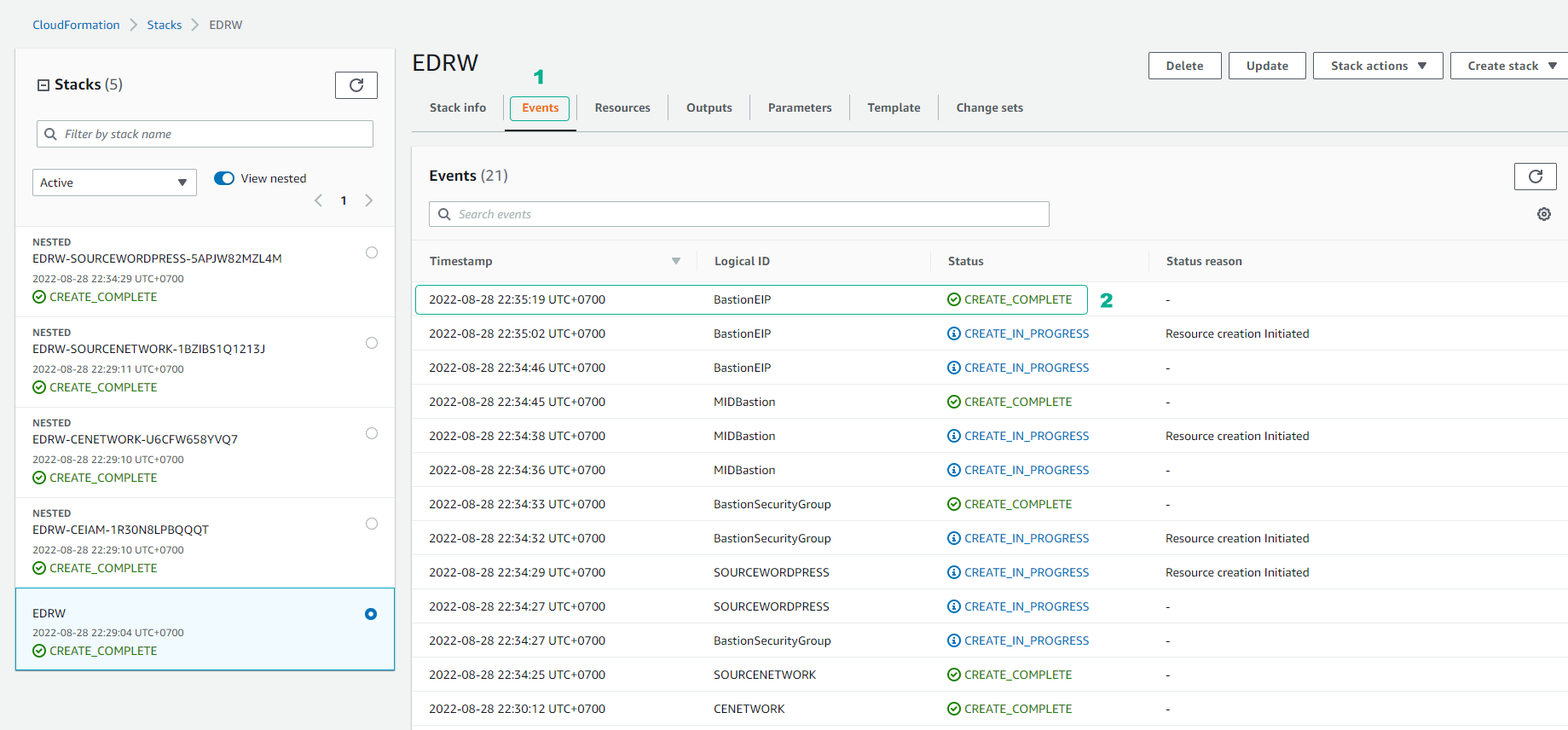
- See Outputs of the stack. We will see if we create a BastionRDP used to connect.